How to Write Anime Video Prompts for AI: Complete Guide
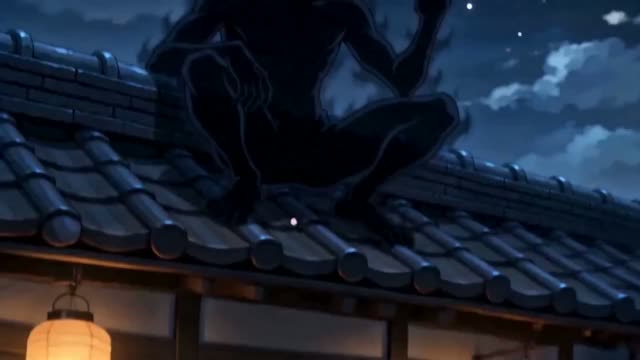
Anime-style AI video generation has matured dramatically in 2026, with models like Seedance 2.0 capable of producing output that rivals hand-drawn studio animation in certain scenarios. But achieving consistent, high-quality anime output requires understanding the specific visual language these models have learned from training data.
This guide walks through the complete framework for writing anime video prompts, from basic style invocation to advanced techniques for specific sub-genres like shonen action, shoujo romance, and mecha sci-fi.
The Anatomy of an Anime Prompt
Style Anchors and Studio References
The most effective anime prompts begin with a clear style anchor — a reference point that tells the model which visual tradition to draw from. Rather than simply writing "anime style," specify the aesthetic lineage: "Studio Ghibli environmental warmth," "Makoto Shinkai atmospheric lighting," "Hiroyuki Imaishi kinetic action energy," or "KyoAni soft character rendering." These references activate specific visual associations in the model's training.
Sub-genre keywords also function as powerful style anchors: "isekai fantasy," "magical girl transformation," "mecha battlefield," "slice-of-life school hallway." Each invokes a constellation of visual conventions — color palettes, line weights, background detail levels, and character proportions — that the model has internalized from thousands of anime frames.
Color and Line Quality
Anime color palettes differ fundamentally from photorealistic content. They tend toward saturated pastels, high-contrast shadows with minimal gradient, and cel-shaded flat fills. Explicitly requesting these qualities produces far more convincing anime output than leaving color treatment to the model's default behavior.
Makoto Shinkai style: a teenage girl standing at a train station at twilight, ethereal light rays breaking through storm clouds, hyper-detailed background architecture, cherry blossoms scattering in wind, reflection of neon signs on wet platform, cel-shaded character with soft ambient occlusion, 2D anime aesthetic, 24fps smooth animation
Shonen action anime: a silver-haired swordsman dashing through a collapsing stone fortress, speed lines radiating from movement, dramatic impact frames, fire and debris in slow motion freeze, bold ink outlines, vibrant crimson and gold color palette, Studio Trigger energy, kinetic camera shake
| Model | Length | Resolution | Aspect ratios | Native audio |
|---|---|---|---|---|
| Seedance 2.0 Cinematic style | 4–15s | 480p, 720p, 1080p | 16:9 · 9:16 · 1:1 · 4:3 · 21:9 | Yes |
Live from the Katama catalogue. Current credit costs are on the pricing page — they change with the app, not with this article.
Sub-Genre Specific Techniques
Action and Battle Sequences
Anime fight sequences require specific motion language that differs from live-action action. Reference "impact frames," "speed lines," "motion blur trails," and "dramatic freeze on peak action" to invoke the visual grammar of shonen battle manga adapted to video. The model understands these as distinct visual techniques rather than generic descriptions of fast movement.
Sakuga — the term for exceptionally high-quality, fluid anime animation — is a keyword that nudges the model toward smoother motion and more dynamic pose transitions. Combine it with specific animation studio energy for best results.
Romance and Slice-of-Life
Softer anime genres need entirely different prompt language. "Warm afternoon classroom light filtering through curtains," "blushing close-up with sparkle overlay," "gentle bokeh background with soft color bleeding" — these descriptors invoke the visual softness of romance-oriented anime. KyoAni and A-1 Pictures references work particularly well for this aesthetic.
Advanced Anime Prompt Techniques
Consistency and Character Design
Maintaining character consistency across multiple generated clips is the hardest challenge in anime AI video. The most effective approach is to be exhaustively specific about character design: hair color and style, eye color and shape, clothing down to specific garment types, body proportions relative to head size. Include all of these in every prompt for the same character.
Some creators use a "character sheet" approach — first generating a static character design reference, then using that as an image-to-video input with strong character description reinforcement in the text prompt. This hybrid workflow dramatically improves multi-clip consistency.
- Always specify the specific anime sub-genre before describing scene content
- Reference named studios or directors to invoke consistent aesthetic traditions
- Use "cel-shaded," "flat fill shadows," and "bold ink outlines" to maintain 2D anime quality
- Include "24fps anime timing" or "sakuga fluid animation" for motion quality control
- Describe backgrounds with as much detail as characters — anime is famous for environmental storytelling
- For action, always include impact-specific language: "speed lines," "impact frames," "smear frames"
Anime AI video is one of the most rewarding styles to master because the model has absorbed such a rich visual tradition. The more precisely you speak its language — referencing its specific visual vocabulary rather than describing things generically — the more convincingly cinematic your output will become.