Best Seedance 2.0 Prompts for Cinematic Videos in 2026
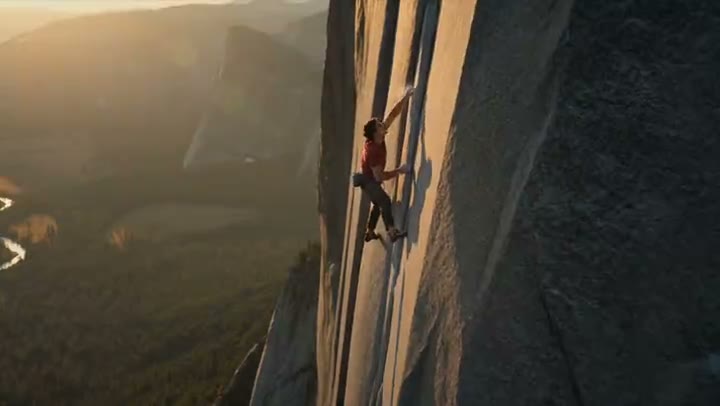
Seedance 2.0 has redefined what's possible in AI video generation, bringing Hollywood-level cinematic quality to creators worldwide. Whether you're producing short films, brand content, or social media reels, mastering the right prompts is the difference between mediocre output and breathtaking visuals that stop the scroll.
In this guide, we break down the exact prompt structures that consistently deliver cinematic results with Seedance 2.0, including lighting techniques, camera movement descriptors, and mood-setting language that the model responds to best.
Understanding Seedance 2.0's Cinematic Language
Camera Movement Descriptors
Seedance 2.0 responds exceptionally well to precise camera movement language. Unlike earlier models that struggled with complex movements, Seedance 2.0 can execute tracking shots, crane moves, and Dutch angles with remarkable accuracy. The key is to describe the movement before the subject, placing the camera instruction at the start of your prompt.
Always pair camera movements with a speed descriptor: slow, medium, or rapid. A "slow dolly push into a rain-soaked neon street" generates fundamentally different results than a "rapid dolly push" — and both differ dramatically from no movement specified at all.
Lighting and Atmosphere
Cinematic lighting is where Seedance 2.0 truly shines. The model has been trained on extensive cinematography references and responds to classic lighting setups by name. Reference specific times of day, weather conditions, and named lighting styles for maximum control.
A cinematic tracking shot following a lone samurai through a bamboo forest at golden hour, shallow depth of field, film grain texture, dust particles in light beams, Akira Kurosawa compositional style, 4K ultra-detailed, slow dramatic pace, anamorphic lens flare
Low-angle crane shot rising slowly above a fog-covered medieval city at dawn, warm amber streetlights piercing through mist, cobblestone streets reflecting light, silhouette of cathedral spires emerging from clouds, cinematic 2.39:1 aspect ratio, IMAX quality, epic orchestral mood
| Model | Length | Resolution | Aspect ratios | Native audio |
|---|---|---|---|---|
| Seedance 2.0 Cinematic style | 4–15s | 480p, 720p, 1080p | 16:9 · 9:16 · 1:1 · 4:3 · 21:9 | Yes |
Live from the Katama catalogue. Current credit costs are on the pricing page — they change with the app, not with this article.
Genre-Specific Cinematic Prompt Templates
Drama and Character Studies
Character-driven drama requires prompts that focus on emotional texture. Seedance 2.0 excels at close-up work when you specify lens focal length and emotional intent. Describing the character's internal state through environmental cues — rather than directly — produces far more nuanced results.
For dramatic scenes, always include a color grade reference. Terms like "desaturated teal and orange grade," "warm Kodachrome tones," or "cold blue midnight palette" dramatically affect the emotional register of the output. Pair this with a specific film reference when appropriate.
Action and Tension
Action sequences in Seedance 2.0 require precise pacing language. Use "rapid intercutting energy," "kinetic handheld urgency," or "controlled chaos" to signal the model toward dynamic outputs. Avoid simply writing "action scene" — the model needs directional specificity to generate coherent motion sequences.
Advanced Techniques for Maximum Quality
Stacking Descriptors Effectively
The order of descriptors matters in Seedance 2.0. Structure your prompts as: [Camera Movement] + [Subject/Scene] + [Lighting] + [Texture/Grade] + [Mood/Pace] + [Technical Quality]. This hierarchy mirrors how the model processes visual priority, ensuring the most important elements receive proper weight.
Avoid adjective stacking without nouns — "beautiful, stunning, gorgeous" adds no information. Instead, specify what makes it beautiful: "razor-sharp detail on weathered leather jacket," "gossamer light diffusing through frosted glass," "micro-expressions caught in 120fps slow motion."
- Always lead with camera movement to establish the visual frame before describing content
- Reference specific cinematographers or directors to invoke recognizable visual styles
- Include aspect ratio (2.39:1 for widescreen, 1.85:1 for standard cinema) to shape composition
- Specify frame rate: 24fps for cinematic, 120fps for slow motion, 60fps for sports
- Use "negative space" and "rule of thirds" to invoke compositional awareness
- Add a single color palette reference per prompt — too many confuse the model's color engine
Mastering Seedance 2.0's cinematic language takes practice, but the results are worth every iteration. Start with these templates, swap in your subject matter, and refine based on output. The model rewards specificity — the more precisely you describe your vision, the closer the output will match it.