Veo 3 Prompts: Everything You Need to Know
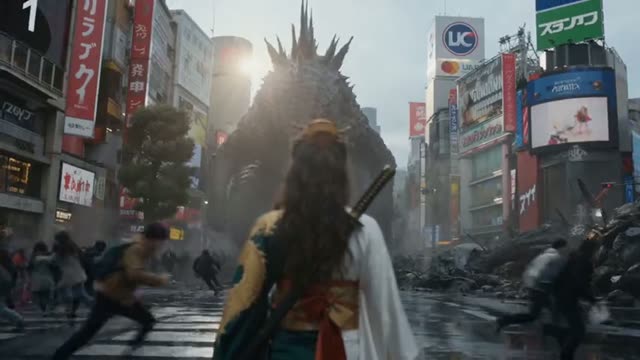
Google's Veo 3 arrived with considerable fanfare, and for good reason — it represents a significant leap in photorealistic video generation with native audio synthesis capabilities that no competing model can currently match. Understanding how to prompt Veo 3 effectively, however, requires learning its distinct personality and preferences.
This guide covers everything you need to know about writing prompts for Veo 3, from its unique audio-visual integration to its exceptional handling of complex outdoor environments and documentary-style footage.
What Makes Veo 3 Different
Native Audio-Visual Synthesis
Veo 3's most significant differentiator is its ability to generate synchronized audio alongside video — ambient soundscapes, dialogue, and even music that matches the visual content. This capability fundamentally changes how you write prompts. You can now describe sonic environments alongside visual ones: "the crunch of gravel underfoot," "distant thunder rolling over mountains," "crowded street market sounds fading as character enters quiet cafe."
The audio synthesis is particularly impressive for environmental sound design. Natural soundscapes — rain on leaves, ocean waves, city traffic — are generated with remarkable authenticity. For dialogue, keep expectations measured; Veo 3 can generate conversational audio but lip sync accuracy varies significantly with camera distance and face angle.
Photorealism Benchmarks
In objective photorealism benchmarks, Veo 3 leads all current models for outdoor natural environments, architecture, and wide establishing shots. The model's handling of atmospheric effects — morning haze, golden hour light, storm clouds — is the best available. Interior and close-up human subject footage is more competitive with Kling 2.0 and Seedance 2.0.
Documentary-style aerial drone shot slowly descending through morning fog over terraced rice fields in Southeast Asia, golden sunrise light breaking through clouds on the horizon, the sound of birds and distant temple bells, farmers beginning work in lower terraces visible through mist, photorealistic 8K nature documentary quality, David Attenborough aesthetic
Street-level tracking shot following a food vendor pushing a cart through a vibrant night market in Bangkok, colorful lanterns overhead, sizzle of street food, multilingual chatter of crowd, warm tungsten light and neon signs reflecting on wet cobblestones, handheld documentary intimacy, photorealistic, ambient audio included
| Model | Length | Resolution | Aspect ratios | Native audio |
|---|---|---|---|---|
| Seedance 2.0 Cinematic style | 4–15s | 480p, 720p, 1080p | 16:9 · 9:16 · 1:1 · 4:3 · 21:9 | Yes |
Live from the Katama catalogue. Current credit costs are on the pricing page — they change with the app, not with this article.
Prompt Structure for Veo 3
Scene-First Architecture
Unlike Seedance 2.0 which responds best to camera-first prompts, Veo 3 performs better with scene-first structure. Establish the environment completely before introducing camera movement or subjects. This matches the model's apparent training structure, where environmental grounding precedes compositional decisions.
Temporal language works particularly well in Veo 3 prompts. Phrases like "as the scene unfolds," "gradually revealing," "slowly transitioning from" give the model permission to manage pacing — and it tends to do so intelligently. Forcing specific second-by-second actions often produces less natural results than describing an arc and letting the model choreograph it.
Audio Integration
To activate Veo 3's audio synthesis, explicitly include sound descriptions in your prompt. Without them, the model generates video without audio. Sound descriptions should be layered: ambient background, mid-ground sounds, and foreground audio elements. This mirrors how professional sound designers layer audio tracks and produces more convincing results than single sound descriptions.
- Always describe the sonic environment alongside the visual one for audio-visual sync
- Use scene-first structure: environment → atmosphere → subjects → camera movement
- Reference documentary filmmakers and nature film aesthetics for outdoor scenes
- Temporal language like "gradually" and "slowly revealing" produces more natural pacing
- Layer audio descriptions: background ambience + mid-ground sounds + foreground audio
- For dialogue scenes, keep subjects at medium distance to improve lip sync accuracy
Veo 3 is a genuinely transformative model for specific use cases — particularly documentary-style content, nature footage, and any project where ambient audio matters as much as visuals. Master its scene-first prompting style and audio integration, and you'll access capabilities no other current model can provide.